Product Definition

A workspace to define what gets built.

Write how the product should work. Build the engineering definition as you go.

// 01 · Features as components

Features become the logical components of your system.

Each feature keeps its use cases, requirements and decisions together as the definition develops. Group them into feature sets that can be worked on, outsourced, included in product variants and tested independently.

Feature definition assembly: F1CHANGE BAKING TEMPERATURE belongs to FS1 · USER FEATURES, alongside F2 CANCEL BAKING SESSION and F3 CHANGE BAKING MODE. The feature owns requirements and use cases; use cases own their own requirements. MoSCoW MUST applies to the feature and EARS to both requirement branches. Definition, review and build indicators are attached to the feature; review is active. FR178 needs attention. Illustrative example.FEATURE SETFS1 · USER FEATURESF2F3FEATUREF1CHANGE BAKINGTEMPERATUREMoSCoW · MUSTDEFINITIONREVIEWBUILDFEATURE REQUIREMENTSEARSFR1APPROVEDFR3APPROVEDFR2APPROVEDFR107IN REVIEWFR178DRAFTATTENTIONFR179DRAFTUSE CASESUC1THE HAPPY PATHAPPROVEDUSE CASE REQUIREMENTSEARSUCR1APPROVEDUCR2APPROVED
THE OVEN PROJECT · AN EXAMPLEFEATURE DEFINITION ASSEMBLY

// 02 · The Workspace

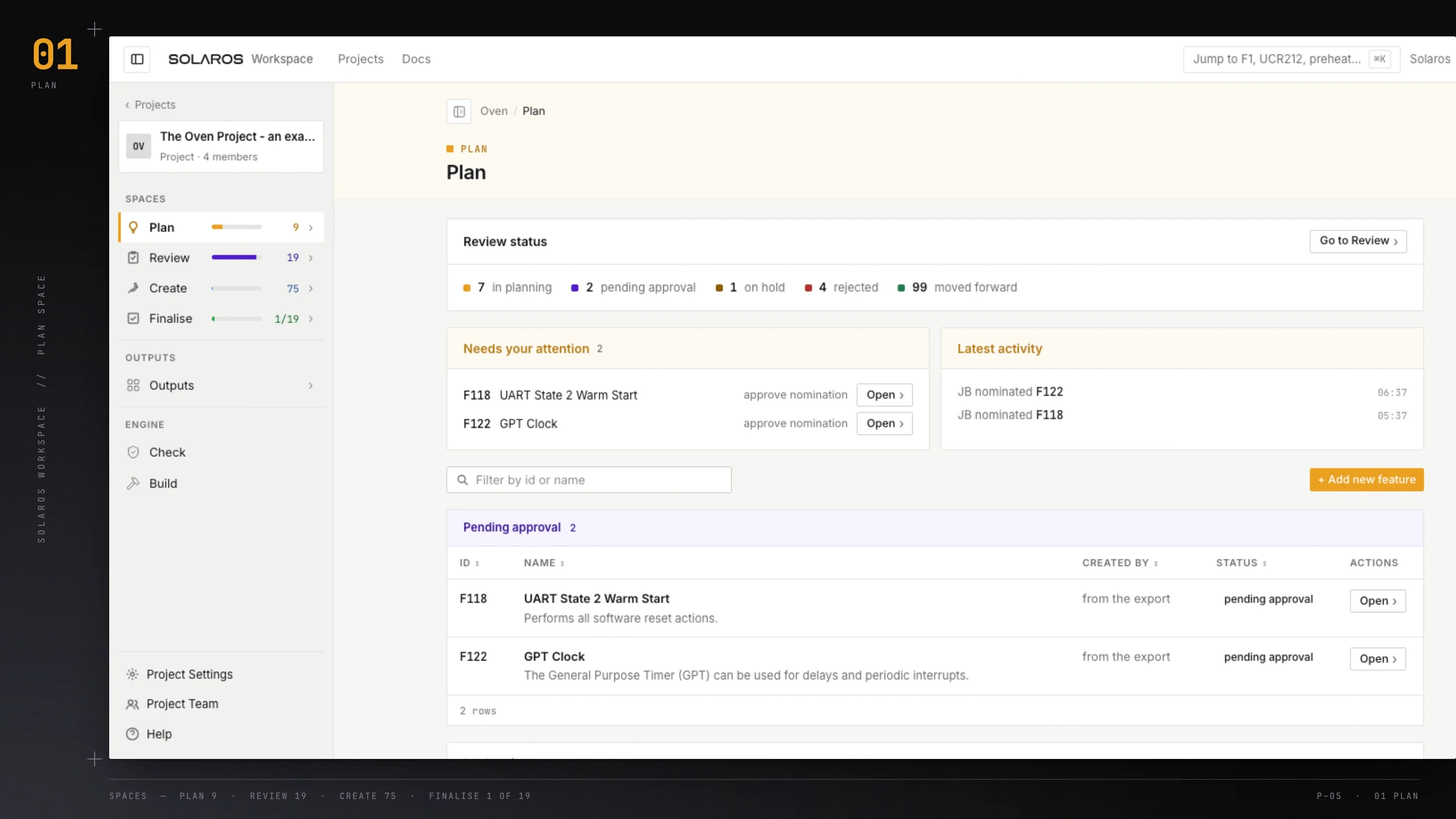
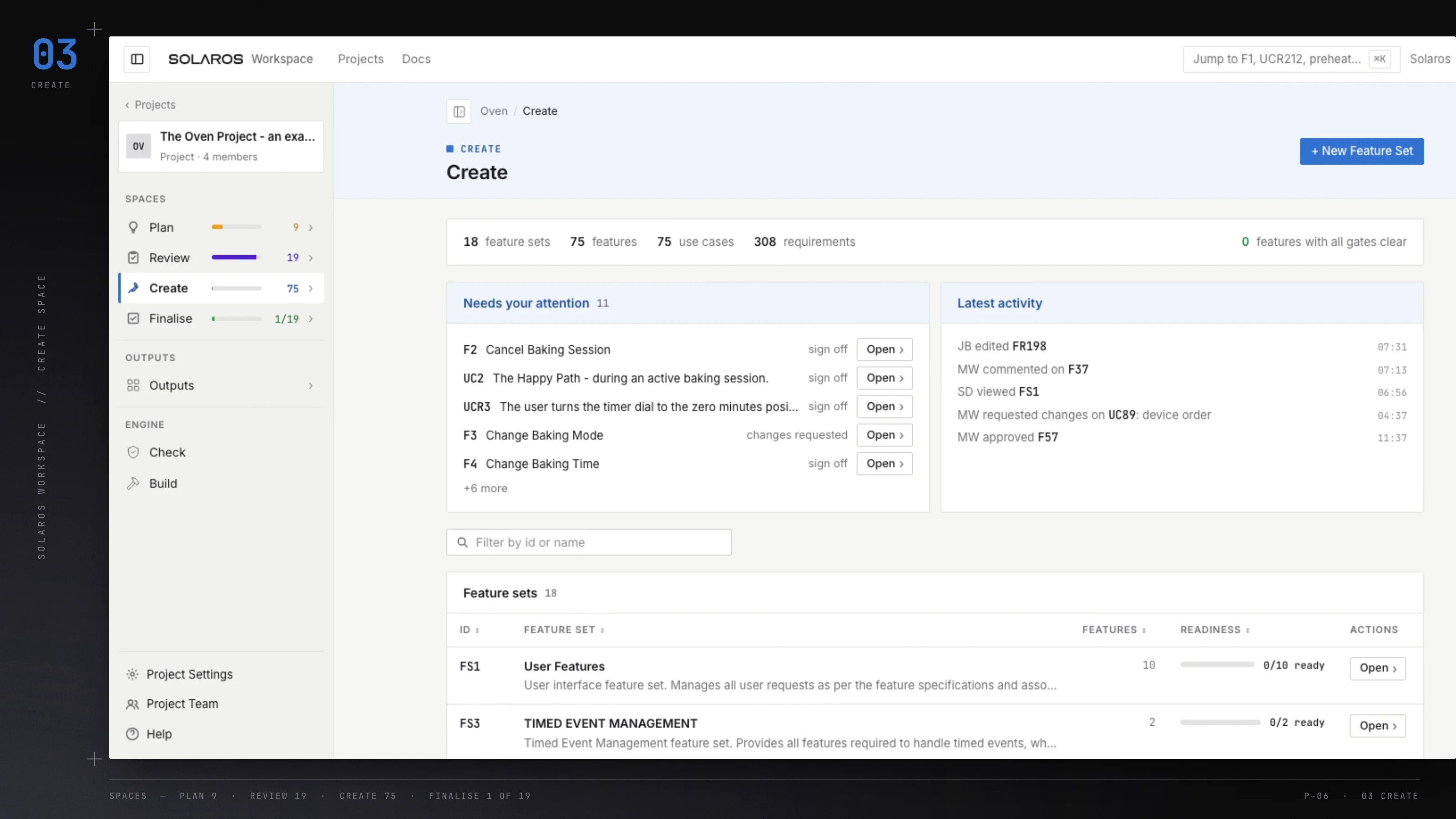
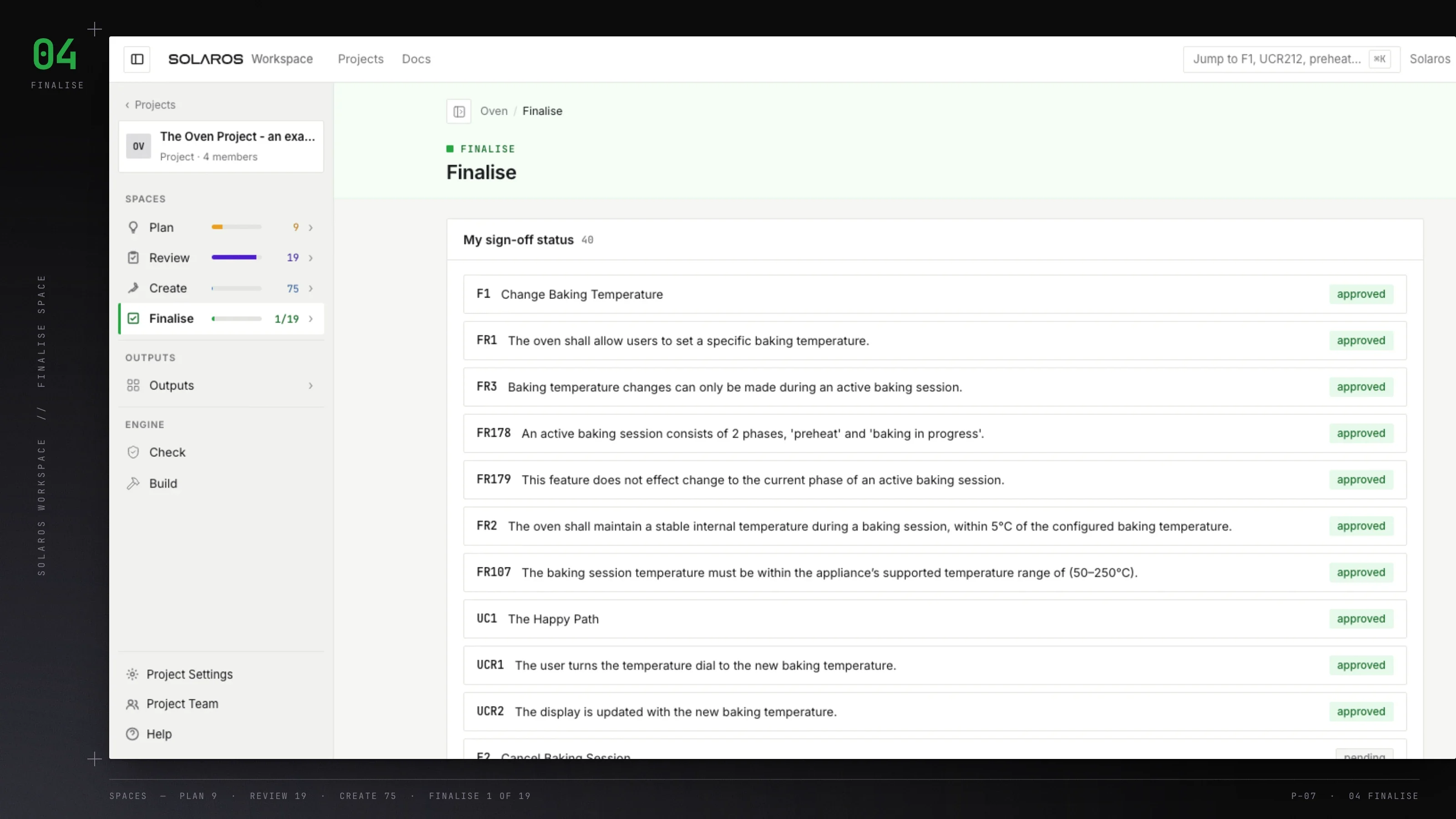
Take your product from planned to perfect.

Definitions gain structure as the work moves forward, without losing the thinking and decisions behind them.

// 03 · Working together

Everyone can contribute where they need to.

Bring product, design and engineering into each feature as it develops. Everyone can add their knowledge, review the work and see what needs attention.
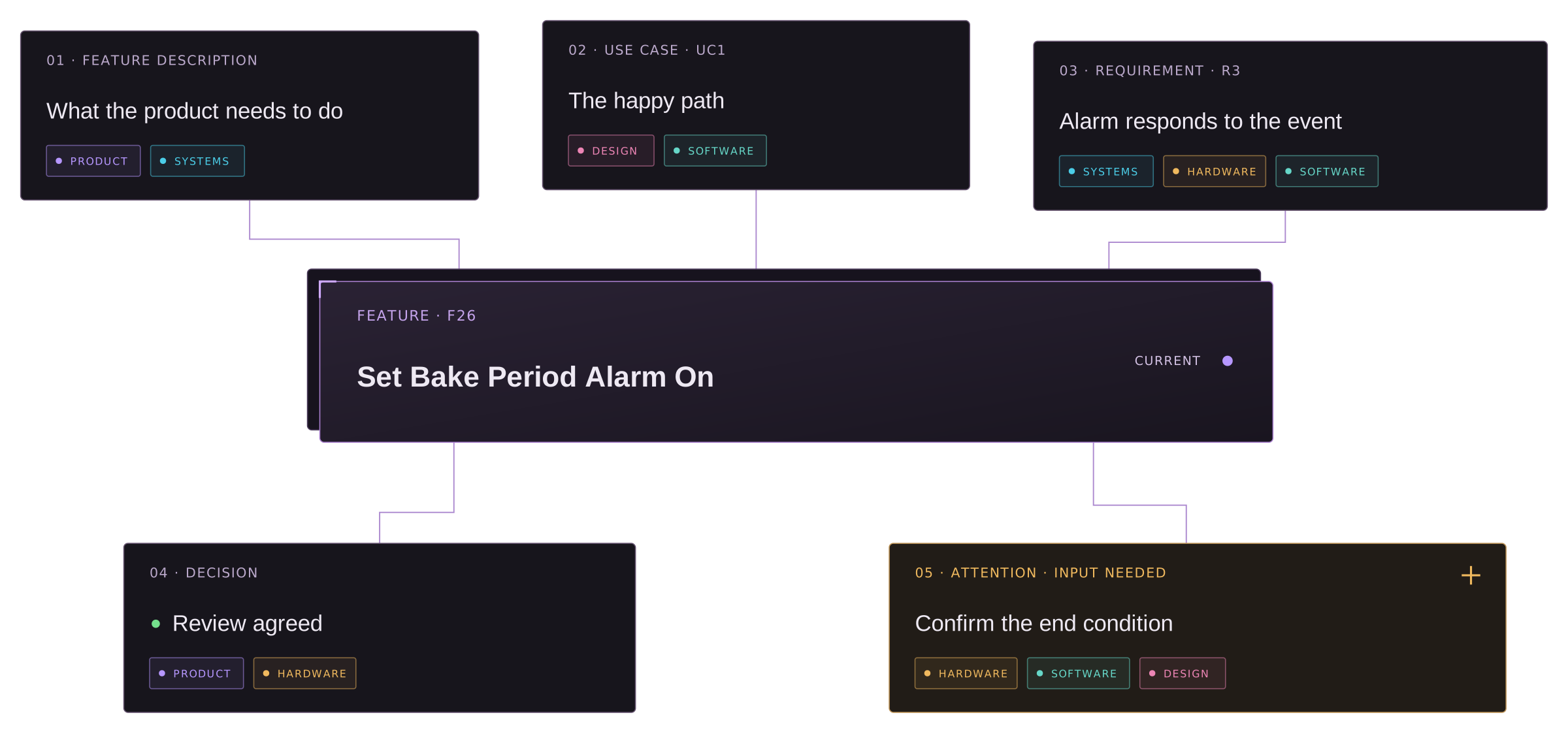
// F26 · SET BAKE PERIOD ALARM ONSHARED WORKSPACE · LIVE
Feature F26 connected to its description, use case, requirement, decision and requested input, with contributions from product, systems, design, hardware and software

// 04 · Source of truth

Stop product knowledge drifting. Give it a living
source of truth.

Code, documents and decisions can all drift away from what the team has agreed.

When they come from one live definition, you can see what's current.

  • Code

    Code architecture is built from the agreed definition.

  • Documentation

    Produce current documents whenever you need them.

  • Decisions

    See what changed, who agreed it and when.

  • Tests

    Trace every logical statement back to its source.

  • Collaboration

    Hardware, software and product work from one definition.

  • People

    The product knowledge stays when people move on.

// 05 · See the work

See what’s taking shape. Find what needs attention.

See what changed and what it changes. Keep the decision, its reason and the parts of the definition it affects connected to the feature.

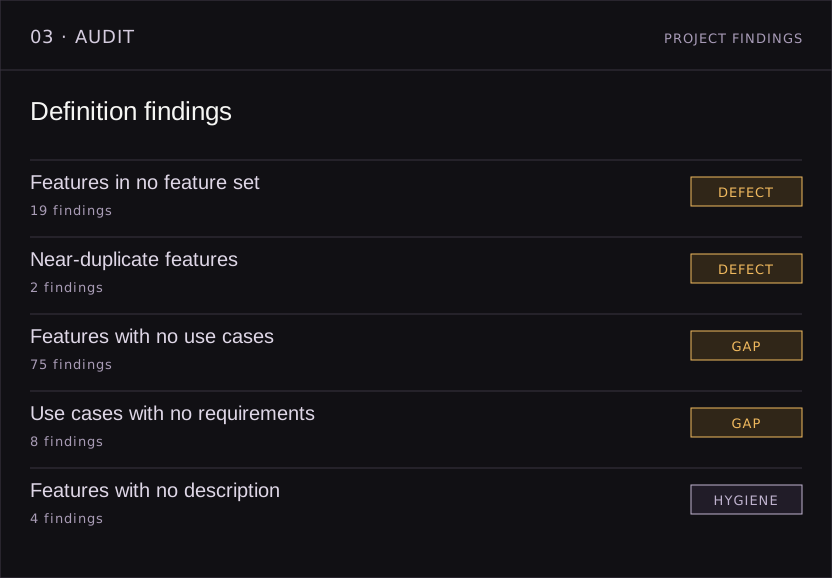
Visualise the product, follow requirements back to their features and see where the definition still needs work.
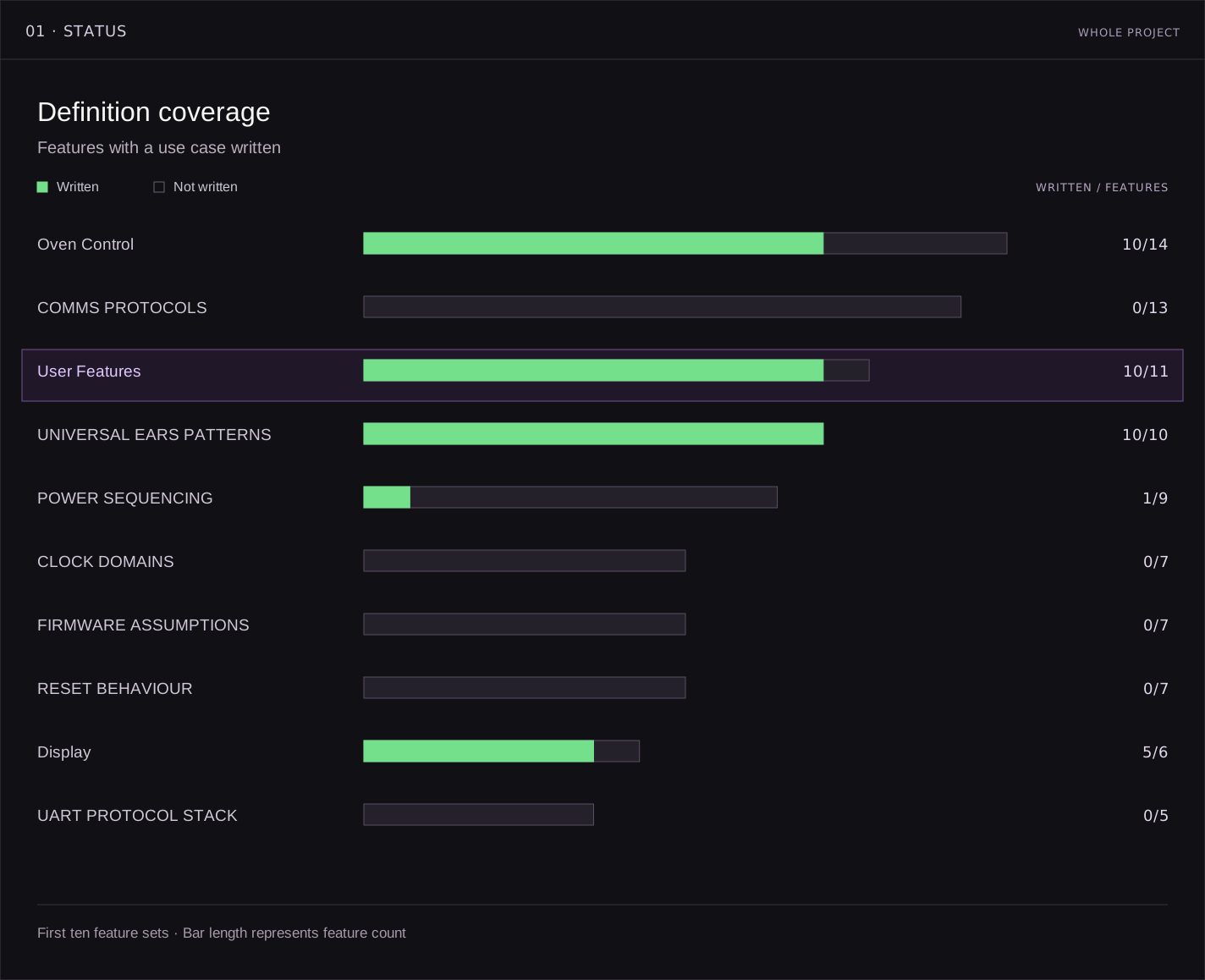
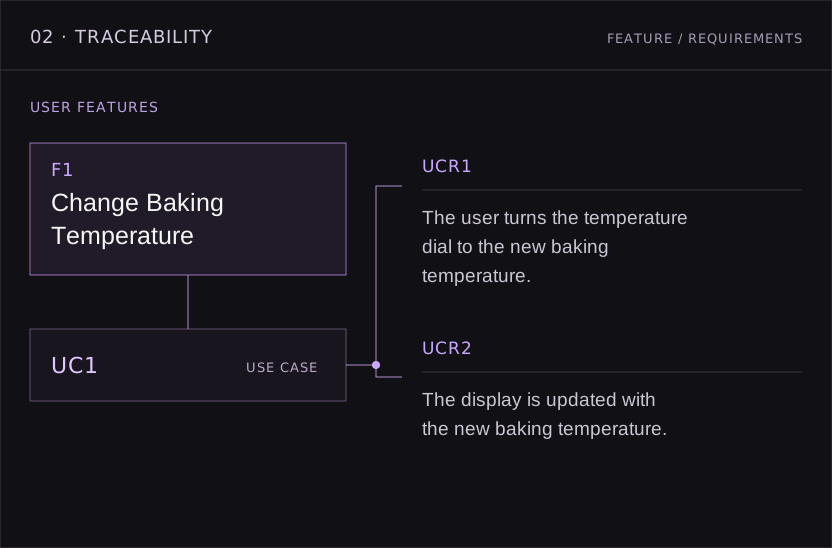
// WORKSPACE OUTPUTS · LIVE DEFINITIONPLATE 04 / WORKSPACE
Workspace definition coverage by feature set
Workspace feature and requirement traceability
Workspace definition audit findings

// 06 · Take it out

Take the work into the tools you already use

Generate what you need from the current definition. Documents, diagrams, presentations and project data reflect the work as it stands.

When you’re ready for code, send the same definition into the Build Engine.

See the Build Engine →
WORKSPACECURRENTDEFINITIONREADY TO GENERATE01 · PRESENTATION OUTPUTSDOCSDIAGRAMSSLIDES02 · PROJECT DATA03 · BUILD ENGINECODE FRAMEWORKWORKSPACE · CURRENT DEFINITIONREADY TO GENERATE01 · PRESENTATION OUTPUTSDOCSDIAGRAMSSLIDES02 · PROJECT DATA03 · BUILD ENGINECODE FRAMEWORK
ONE CURRENT DEFINITIONGENERATED FOR THE NEXT JOB

// See it work

See how a project
gets built.

See a reference project get built from specification to code architecture.
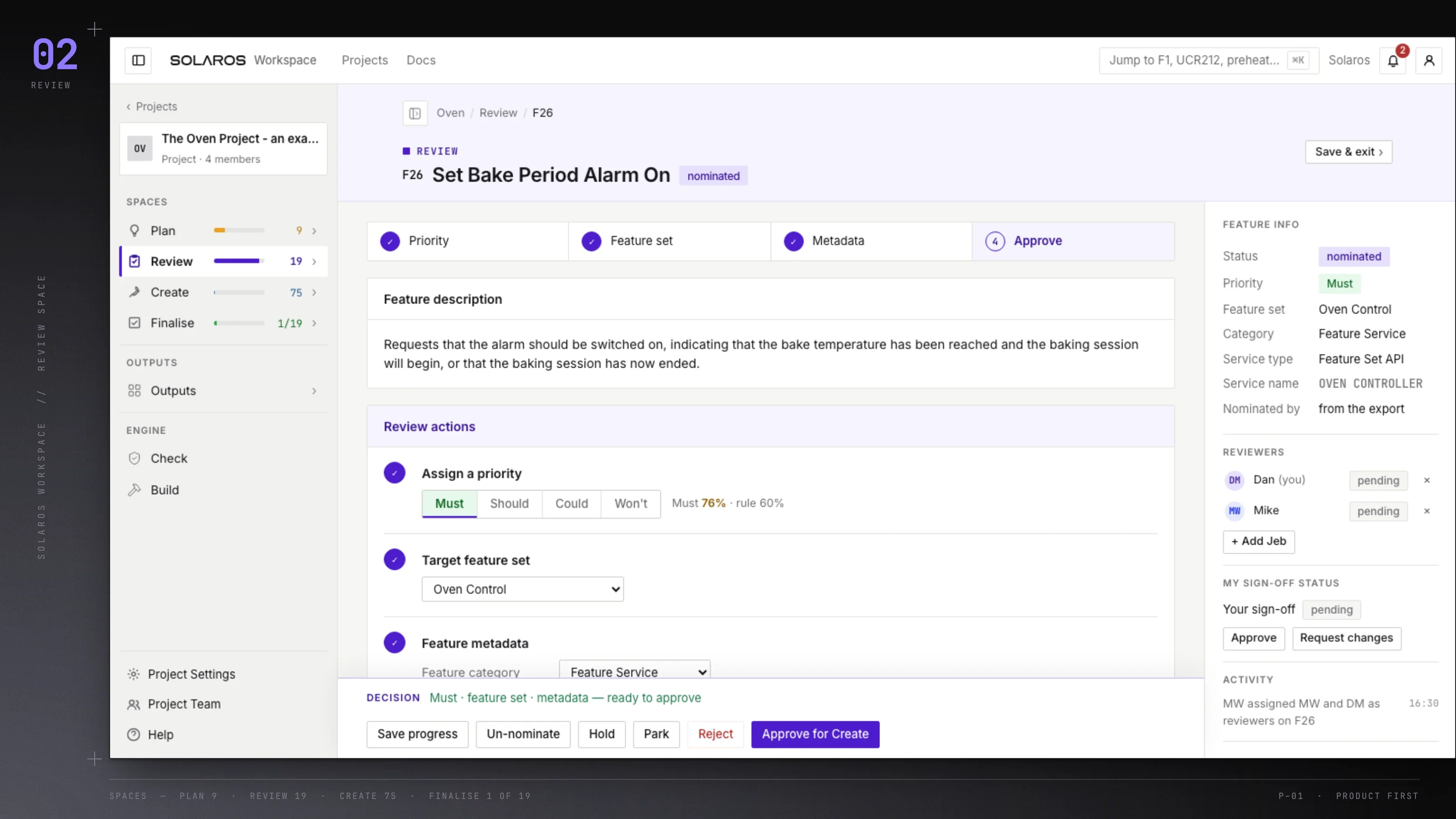
Eight-minute walkthroughUnlock the demo  →